

.difypkg is the portable form of a Dify plugin. Once you have one, anyone can install it through the Plugins page by uploading the file. This is the right path for private plugins, internal testing, or out-of-band distribution to a small group.
For wider distribution, see the Publishing Overview.
Prerequisites
- The Dify Plugin CLI installed. Run
dify versionto confirm. - A completed plugin project. If you haven’t built one yet, start with the Tool Plugin walkthrough.
- The plugin tested with remote debugging before packaging.
The
author field in manifest.yaml and every provider/*.yaml must match your GitHub handle. Mismatches cause plugin_unique_identifier is not valid at install time. See General Specifications for the full manifest spec.Package the Plugin
1
Move above the project
Navigate to the directory above your plugin project (so the project is a subdirectory of the current working directory).
2
Run the packager
your_plugin_project.difypkg file in the current directory.
Install from the File
1
Open the Plugins page
In Dify, click the Plugins icon in the top-right corner.
2
Choose Install Plugin > Via Local File
Or drag the
.difypkg onto the empty area of the Plugins page.3
Confirm the install
Review the permissions the plugin requests, then click Install.
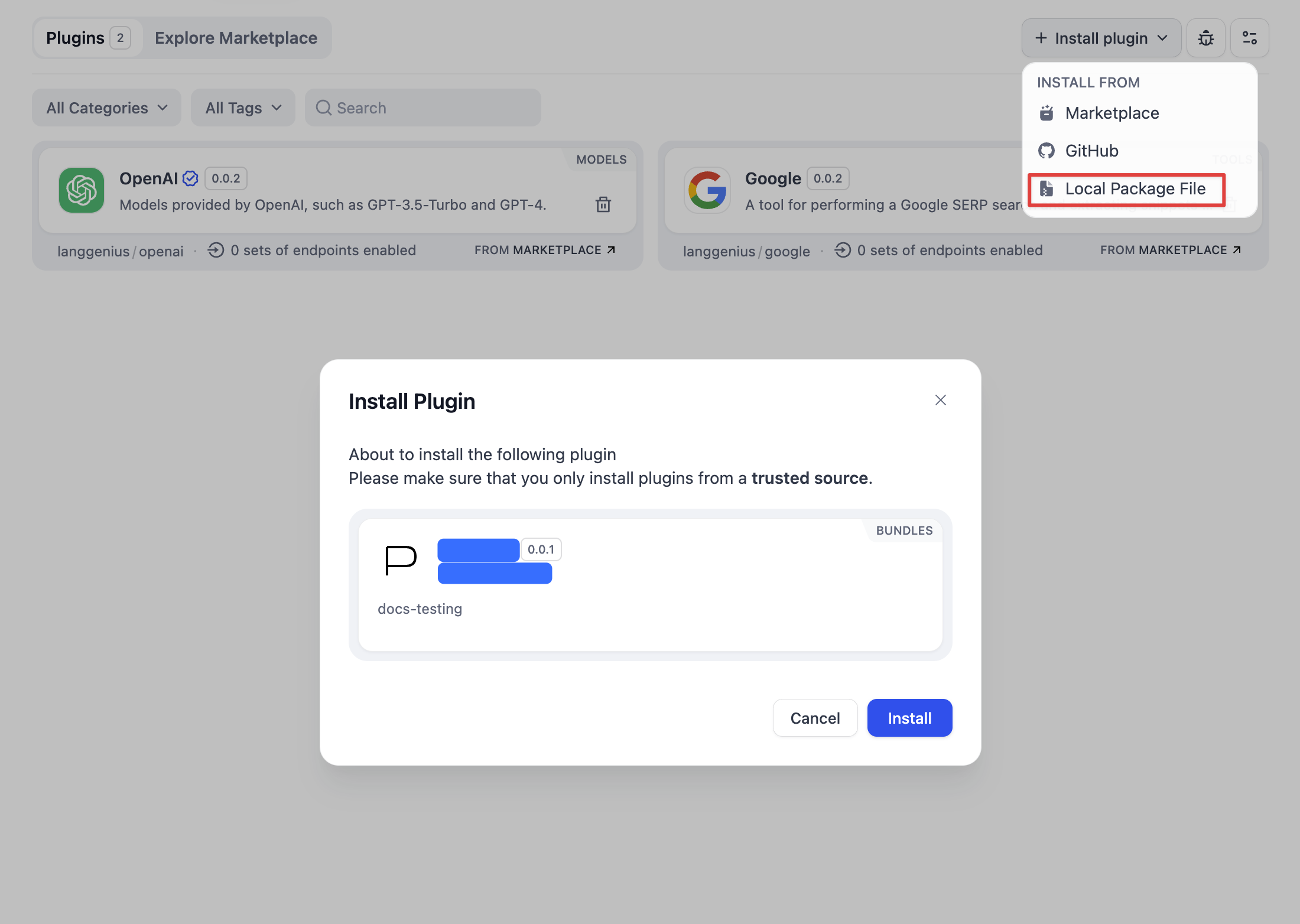
The plugin is now in the workspace and ready to use in Agents, Workflows, or Tools. No further action required.
Share the File
Hand the.difypkg file to your users directly: over email, an internal file share, or any channel you control. They install it with the same flow above.
If you want broader distribution instead, consider:
Publish on GitHub
Attach the
.difypkg to a GitHub release; users install via repo URL.Submit to Marketplace
Open a PR against
langgenius/dify-plugins for the official catalog.